
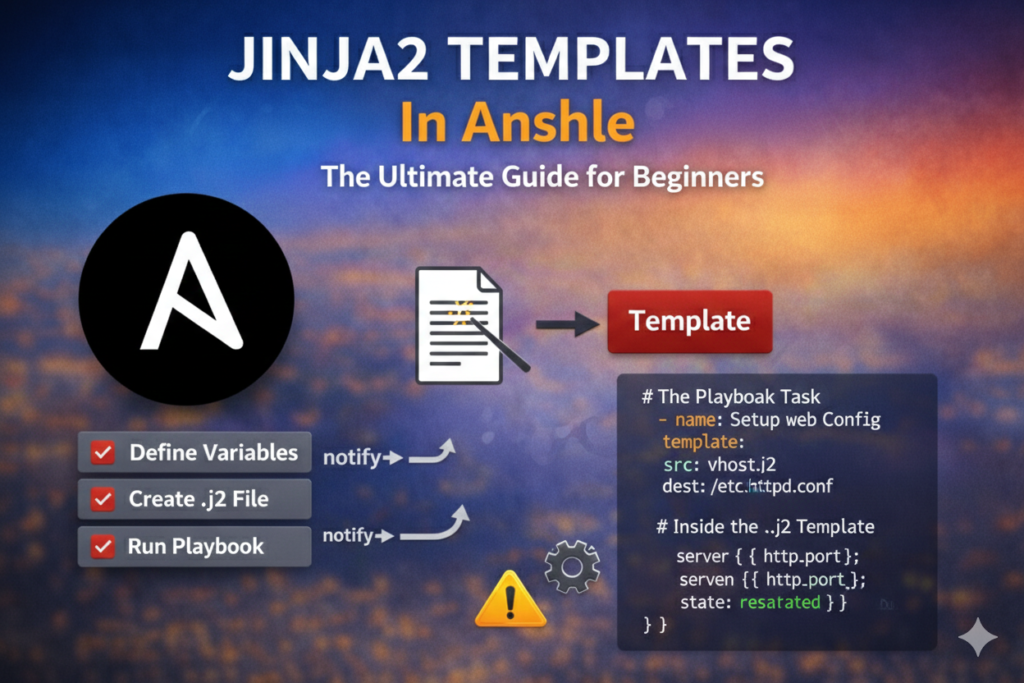

In this article we will learn about Jinja2 Templates and how to use Jinja2 Templates in ansbile. Jinja2 is a templating engine used by Ansible to create dynamic content. It allows you to embed variables, apply filters, and use loops/conditions inside configuration files.
Table of Contents
What is JINJA2 ?
Jinja2 is a modern and designer-friendly templating language for Python, modeled after Django’s templates. It is used by Ansible for template processing and enables the dynamic insertion of data into files based on variables and logic defined in your playbooks.
Templates in Ansible are processed by the template module using Jinja2 Templates. This module takes a template file, processes it, and deploys the output file to a specified location on the remote hosts. Ansible allows Jinja2 loops and conditionals to be used in templates, but they are not allowed in playbooks.
Key Features of Jinja2:
- Variables: Inject data into templates.
- Filters: Modify the appearance of variables within the template (e.g., capitalization).
- Control Structures: Use conditions and loops in templates to influence content generation.
Using Delimiters:
Variables and logic expressions are placed between tags, or delimiters. For example, Jinja2 templates use {% EXPR %} for expressions or logic (for example, loops), while {{ EXPR }} are used for outputting the results of an expression or a variable to the end user. The latter tag, when rendered, is replaced with a value or values, and are seen by the end user. Use {# COMMENT #} syntax to enclose comments that should not appear in the final file.
In the following example, the first line includes a comment that will not be included in the final file. The variable references in the second line are replaced with the values of the system facts being referenced.
{# /etc/hosts line #}
{{ ansible_facts['default_ipv4']['address'] }} {{ ansible_facts['hostname'] }}
How to build a Jinja2 templates ?
A Jinja2 template is composed of multiple elements: data, variables, and expressions. Those variables and expressions are replaced with their values when the Jinja2 template is rendered. The variables used in the template can be specified in the vars section of the playbook. It is possible to use the managed hosts’ facts as variables on a template.
The following example shows how to create a template for /etc/ssh/sshd_config with variables and facts retrieved by Ansible from managed hosts. When the associated playbook is executed, any facts are replaced by their values in the managed host being configured.
# {{ ansible_managed }}
# DO NOT MAKE LOCAL MODIFICATIONS TO THIS FILE AS THEY WILL BE LOST
Port {{ ssh_port }}
ListenAddress {{ ansible_facts['default_ipv4']['address'] }}
HostKey /etc/ssh/ssh_host_rsa_key
HostKey /etc/ssh/ssh_host_ecdsa_key
HostKey /etc/ssh/ssh_host_ed25519_key
SyslogFacility AUTHPRIV
PermitRootLogin {{ root_allowed }}
AllowGroups {{ groups_allowed }}
AuthorizedKeysFile /etc/.rht_authorized_keys .ssh/authorized_keys
PasswordAuthentication {{ passwords_allowed }}
How To Deploy a Jinja2 Templates ?
Jinja2 templates are a powerful tool to customize configuration files to be deployed on the managed hosts. It can be deployed to the managed hosts using the template module, which supports the transfer of a local file on the control node to the managed hosts.
To use the template module, use the following syntax. The value associated with the src key specifies the source Jinja2 template, and the value associated with the dest key specifies the file to be created on the destination hosts.
tasks:
- name: template render
  template:
   src: /tmp/j2-template.j2
   dest: /tmp/dest-config-file.txt
How To Manage Templated Files ?
To avoid having system administrators modify files deployed by Ansible, it is a good practice to include a comment at the top of the template to indicate that the file should not be manually edited.
One way to do this is to use the “Ansible managed” string set in the ansible_managed directive. This is not a normal variable but can be used as one in a template. The ansible_managed directive is set in the ansible.cfg file:
ansible_managed = Ansible managed
To include the ansible_managed string inside a Jinja2 template, use the following syntax:
{{ ansible_managed }}
Control Structures In Jinja2 Templates
You can use Jinja2 control structures in template files to reduce repetitive typing, to enter entries for each host in a play dynamically, or conditionally insert text into a file.
Using Loops:
Jinja2 uses the for statement to provide looping functionality. In the following example, the user variable is replaced with all the values included in the users variable, one value per line.
{% for user in users %}
{{ user }}
{% endfor %}
The following example template uses a for statement to run through all the values in the users variable, replacing myuser with each value, except when the value is root.
{# for statement #}
{% for myuser in users if not myuser == "root" %}
User number {{ loop.index }} - {{ myuser }}
{% endfor %}
The loop.index variable expands to the index number that the loop is currently on. It has a value of 1 the first time the loop executes, and it increments by 1 through each iteration.
Using Conditionals
Jinja2 uses the if statement to provide conditional control. This allows you to put a line in a deployed file if certain conditions are met.
In the following example, the value of the result variable is placed in the deployed file only if the value of the finished variable is True.
{% if finished %}
{{ result }}
{% endif %}
Variables Filters
Jinja2 provides filters which change the output format for template expressions (for example, to JSON). There are filters available for languages such as YAML and JSON. The to_json filter
formats the expression output using JSON, and the to_yaml filter formats the expression output using YAML.
 {{ output | to_json }}
 {{ output | to_yaml }}
Additional filters are available, such as the to_nice_json and to_nice_yaml filters, which
format the expression output in either JSON or YAML human readable format.
{{ output | to_nice_json }}
{{ output | to_nice_yaml }}
Both the from_json and from_yaml filters expect strings in either JSON or YAML format,
respectively, to parse them.
{{ output | from_json }}
{{ output | from_yaml }}
Variable Test
The expressions used with when clauses in Ansible Playbooks are Jinja2 expressions. Built-in Ansible tests used to test return values include failed, changed, succeeded, and skipped.
The following task shows how tests can be used inside of conditional expressions.
tasks:
...output omitted...
- debug: msg="the execution was aborted"
when: returnvalue is failed
You can visit Ansible official docs site to know more bout Templating (Jinja2)
You can also Visit my website Ansible With LinkGkKTech to know learn other part of ansible in deep.
